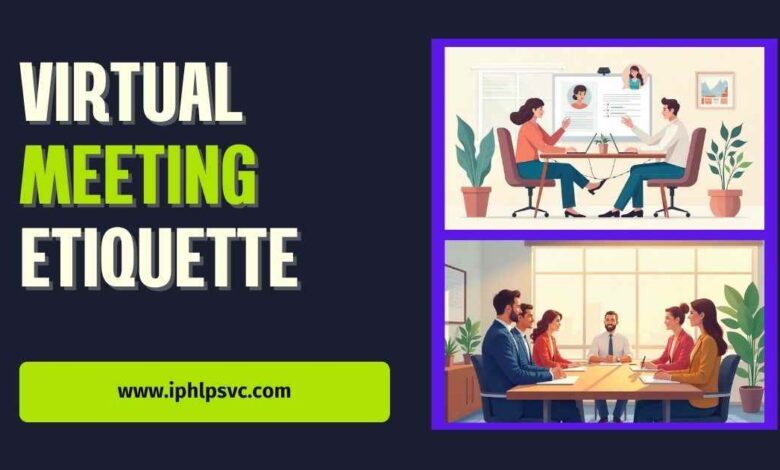
Virtual meeting etiquette is a set of simple habits and shared expectations that keep remote meetings respectful efficient and effective. Good etiquette reduces interruptions improves clarity and helps teams make decisions faster. Whether you are joining occasionally or running meetings every day these practices make a clear difference in how you are perceived and how well the meeting achieves its purpose.
In this guide you will find step by step advice for preparing your environment and technology setting up inclusive behavior managing speaking and participation and following up after the meeting. You will also find ready to use scripts and checklists for hosts and participants.
Before the meeting prepare like a pro
Decide if a meeting is necessary
Ask whether the topic requires real time discussion or collective decision making. Many updates can be shared as a quick written summary. If the meeting is necessary state the objective clearly in the invite so attendees know what the meeting will accomplish and what they should bring.
Build and share a clear agenda
A focused agenda sets expectations and keeps the meeting on track. Include the meeting objective time allocation for each item and who will lead each part. If complex documents will be discussed attach them to the invite and ask participants to read them beforehand.
Invite the right people
Invite only those who are necessary for the decision or conversation. Too many attendees dilutes accountability and makes discussion harder. If someone must be informed but not engaged consider sending a summary after the meeting.
Schedule with respect for people time
Limit the number of topics in a single meeting. Short focused sessions are usually more effective than long unfocused ones. Consider the time zones of participants and avoid scheduling at inconvenient hours when possible. If meetings often run long try tightening the agenda or splitting the session into a working segment and a decision segment.
Test technology in advance
Before an important meeting verify camera microphone and internet connection. Close apps that consume bandwidth and make sure your meeting software is updated. A quick test prevents avoidable interruptions and shows respect for other people time.
How to set up your space for confident presence

Camera framing and eye contact
Position the camera at eye level or a bit higher. Sit close enough so your face and shoulders are visible and your face fills a good portion of the frame. Look toward the camera when you speak to simulate eye contact. This small adjustment improves perceived engagement and trust.
Lighting and background
Face a light source so your face is clearly visible. Avoid bright light behind you because it creates silhouettes. Choose a tidy neutral background or apply a subtle blur when your software supports it. Remove distracting or personal items that do not belong in a professional setting.
Dress and appearance
Match your clothing to the meeting purpose. A client presentation usually calls for more formal attire while an internal update may allow business casual. Neat grooming and simple attire show respect and professionalism.
Audio and video best practices for every participant
When to mute and unmute
Join the meeting on mute. Unmute when you are ready to speak. Mute again if you are in a noisy place or if you need to move around. Hosts should remind participants about mute etiquette at the start and use a brief protocol for muting and unmuting during Q and A.
Choose a reliable microphone
A headset or an external microphone usually offers clearer audio than a built in option. Test audio levels before the meeting and do a short sound check when many people will speak.
Manage bandwidth
If your connection is unstable turn off video or switch to audio only for parts of the meeting. Close other apps that use internet bandwidth and if possible join from a wired connection for more stability.
Attendance and time management expectations
Arrive a few minutes early
Arrive early especially for important meetings. This allows time to resolve technical issues and start promptly. Hosts should begin on time even if a few people are missing and summarize key points for late comers later.
Handle late arrivals with courtesy
When someone arrives late avoid repeating long sections. Provide a very brief recap and point them to the relevant part of the agenda. If late arrivals become frequent address the pattern outside the meeting.
Recommended meeting lengths
Keep routine check ins short between 15 to 30 minutes. Reserve 45 to 60 minutes for deeper collaboration or decision making. If meetings repeatedly exceed their time consider refining the agenda or converting part of the discussion to an asynchronous update.
Speaking and participation guidelines
Turn taking and avoiding interruptions
Set simple rules for turn taking. Use the raise your hand function or a chat cue to request the floor. Pause briefly after you speak so others can respond. These small habits prevent talking over each other and create a more respectful conversation.
Use chat and reactions effectively
Use chat for short clarifications questions and links that do not interrupt the speaker. Use reactions for quick confirmations without breaking the flow. Agree at the start how chat will be used so messages do not derail the discussion.
Invite quiet voices and manage dominant participants
Intentionally invite input from quieter participants. Use open questions and ask for short contributions. If someone dominates the conversation acknowledge their input and suggest parking remaining ideas for a separate follow up. That preserves momentum while respecting the need for inclusivity.
Host responsibilities and running an inclusive meeting
Assign roles clearly
Useful roles include host facilitator note taker and timekeeper. Role assignment clarifies responsibilities and keeps the meeting focused.
State objectives and desired outcomes
Begin by restating the objective and what success looks like. Close each agenda item with a decision or next step that names the owner and a deadline.
Design for accessibility and inclusion
Provide closed captions when available share materials in accessible formats and offer multiple ways to contribute such as chat whiteboard or polls. In hybrid meetings deliberately invite remote participants into the conversation so they are not treated as passive observers.
Visuals screen sharing and presentation etiquette
Prepare slides for remote viewing
Design slides with large fonts short text and clear visuals. Avoid tiny charts and complex animations that do not translate well over video. If a document is long consider sending it beforehand and using the meeting to highlight conclusions.
Screen share best practices
Announce when you will share your screen. Close unrelated tabs and notifications. Narrate what you are showing and use a pointer or zoom feature to guide attention. Stop sharing promptly when you are done to avoid accidental exposure of other content.
Timing for supporting materials
Share complex materials before the meeting when you want people to prepare. Send concise notes and action items promptly after the meeting to reinforce accountability.
Hybrid meeting tips when some people are in the room
Equalize participation for remote attendees
Place cameras and microphones so remote participants can see and hear the room. Use the raise your hand function or a chat facilitator to represent remote voices. When appropriate call on remote attendees first to balance proximity bias.
Camera placement and microphone strategy
Position cameras to capture multiple speakers and use central microphones or lapel microphones for people in the room. Test the setup before starting the meeting.
Set ground rules in advance
Communicate how side conversations will be handled how to request the floor and whether the meeting will be recorded. Clarify privacy expectations and how materials will be shared.
Do not do list common meeting mistakes to avoid
Avoid eating on camera and visible multitasking
Do not eat messy food or appear to be browsing social media. Visible multitasking reduces perceived professionalism and distracts others.
Do not interrupt or talk over others
Avoid interrupting. If you must interject use a brief positive acknowledgement then add your point. If interruptions persist the host should enforce turn taking.
Do not record without consent
Always inform participants when you will record a meeting and explain the purpose and who will have access. Recording without notice undermines trust and may violate policy.
After the meeting follow up and document outcomes
Capture clear action items
Summarize decisions owners and deadlines at the end of the meeting. Use a simple consistent template so action items are easy to add to project trackers.
Send concise meeting notes
Distribute a short summary within 24 hours. The summary should list what was decided who will do what and expected next updates. Clear documentation increases accountability and reduces confusion.
Ask for feedback and iterate
Periodically solicit quick feedback about agenda clarity meeting length and facilitation. Use that input to refine your format and reduce unnecessary meetings.
Quick checklists and templates for hosts and attendees
Pre meeting checklist for hosts
- Confirm objective and required attendees
- Create and share agenda and any pre reading
- Assign roles facilitator note taker timekeeper
- Test camera microphone and connection
- Prepare visuals and close unrelated tabs
During meeting checklist for hosts
- Start on time state objective and outcomes
- Remind participants of camera mute and chat norms
- Manage time and keep to the agenda
- Invite remote participants to speak periodically
- Capture decisions and assign owners
Post meeting checklist for hosts
- Send concise notes with decisions action items owners and deadlines
- Upload materials and recording when appropriate and with notice
- Follow up on blocked items and next steps
- Ask for brief feedback to improve future meetings
Participant script to request a turn
Hi name I have a brief point about agenda item number. May I share it now or hold until the discussion phase Thank you
Host script to invite participation
We will go around for quick reactions Please raise your hand or type ready in chat and I will call on you in order
Conclusion
Strong virtual meeting etiquette turns routine calls into reliable opportunities for clear decisions and better teamwork. By applying simple practices for preparation presence participation and follow up you reduce wasted time increase inclusion and strengthen professional reputation. The reward is measurable: fewer repetitive meetings clearer ownership and faster progress on priorities.
Start small and be specific. Choose one or two habits to adopt this week such as sending a short agenda before the meeting and assigning a timekeeper. Use the checklists and scripts in this guide so everyone knows what to expect. Train hosts to enforce norms gently and invite quiet participants deliberately. Consistency matters more than perfection.
Frequently asked questions about virtual meeting etiquette
Can I eat during a meeting
Avoid eating on camera for professional meetings. For casual team gatherings check with the host. If you must eat let others know and mute when you are not speaking.
Should I always have my camera on
Camera on is recommended when connection and participation matter. If you have bandwidth or privacy limitations explain briefly to the host or in chat.
How do I politely mute someone who is noisy
Ask the participant by name to mute or request that everyone check their connections. If background noise persists the host can mute everyone and unmute speakers in turn.
Is it okay to record a meeting
Record only with consent and when there is a clear reason such as sharing with people who cannot attend. Announce when recording begins and store the recording securely.
How to handle chronic late arrivals
Address chronic lateness privately outside the meeting. Reiterate start time expectations and consider changing the meeting time or adding a brief recap for latecomers.







2 Comments