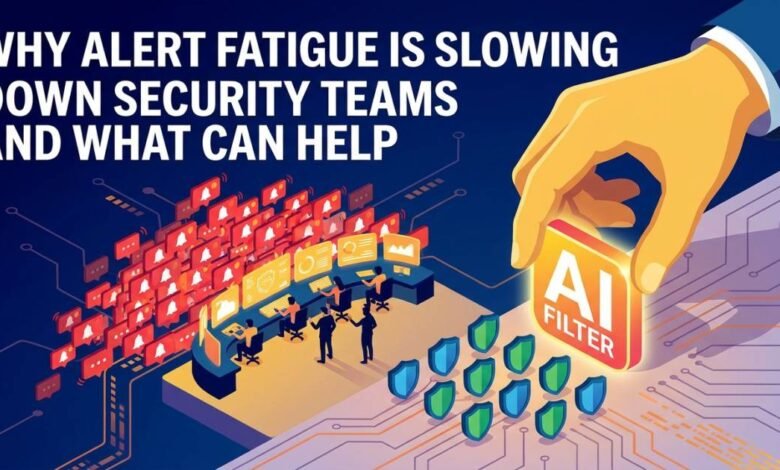
An analyst who sees two hundred alerts in a shift learns quickly which ones to skim. That habit is rational, and it is also dangerous. When most notifications turn out to be harmless, the brain begins treating all of them as probably harmless, and the one that matters gets the same quick glance as the rest. Alert fatigue is the name for this erosion of attention, and it slows security teams in ways that rarely show up on a dashboard. The sections below describe what it looks like, where the excess alerts come from, which fixes reduce the noise, and how better evidence shortens each decision.
What Alert Fatigue Is and What It Costs
Alert fatigue appears when the volume of notifications exceeds a team’s capacity to examine them carefully. Symptoms are easy to recognize once named. Analysts close alerts in seconds without opening the details. Queues grow during busy periods and are cleared by bulk closure. Detection rules get muted because nobody has time to tune them, which removes coverage without anyone deciding to.
The costs fall into three groups. Speed suffers first, since every low-value alert takes time away from investigations that matter, and mean time to respond rises. Accuracy follows, because tired reviewers make more mistakes and are more likely to dismiss an unusual alert as another repeat. Retention suffers last, as experienced analysts leave roles that feel like endless sorting.
Well-known breach investigations have repeatedly described cases where an alert fired and was not acted on, often because it sat among thousands of similar notifications. The lesson is not that analysts were careless. The system asked them to treat too many signals as urgent, and urgency stopped meaning anything.
Where the Excess Alerts Come From
Noise usually has identifiable sources. Detection rules written broadly, such as flagging any use of a remote administration tool, catch plenty of legitimate IT work. Default vendor rules ship with generic thresholds that do not match a given environment. New tools are added without retiring overlapping ones, so the same event produces three alerts from three products.
Environmental change adds more. A migration, a new scanner, or a software rollout can set off a wave of alerts for activity that is entirely expected. If nobody tells the SOC in advance, analysts investigate each one from scratch.
Weak context is a quieter cause. An alert that says “suspicious PowerShell execution” without naming the owner, the parent process, or the usual behavior of the host forces the analyst to gather those facts alone. Alerts that need long investigations to clear feel heavier than they are, and they add to the sense of drowning.
Finally, many teams lack a feedback loop. Analysts close thousands of false alarms, but the information rarely flows back to the people who maintain the rules. The same detection fires again tomorrow, and the cost repeats indefinitely. Finding the top ten noisiest rules and tracing each to its cause is usually the most productive first exercise.
Tuning and Context Cut the Noise
Reducing volume starts at the source. Review the highest-volume detections and ask a direct question about each: what proportion leads to action? Rules that almost never do should be narrowed, scoped to specific assets, or converted to informational logging that does not page anyone. Allowlists for known-good activity, such as sanctioned scanners and backup tools, remove a large share of repeat alerts when they are documented and reviewed periodically.
Correlation helps too. Instead of five separate alerts about one host, group them into a single case that shows the sequence. An analyst reading one timeline decides faster than one reading five tickets.
Context shortens each decision. Attach asset criticality, user role, recent related activity, and threat intelligence matches automatically, so the first screen answers the obvious questions. Analysis tools such as VMRay can contribute here by detonating a suspicious file or link in an isolated environment and reporting what it actually did, which replaces speculation about intent with recorded behavior.
Keep a record of every tuning change, including who approved it and why. A rule narrowed without documentation may later be mistaken for a detection gap, or its exclusion may quietly grow beyond its original purpose.
Better Evidence Shortens Each Decision
Even a well-tuned queue contains alerts that need a real verdict. The time spent on those cases depends heavily on the quality of the evidence available. A vague indicator produces long debates, while a clear behavioral record produces a quick answer.
Dynamic analysis is a good example. When a suspicious attachment arrives, an analyst can open the file on an isolated machine and watch, which takes time and carries risk. Automated detonation does the same work in minutes and records process trees, dropped files, registry changes, and network connections. Platforms such as VMRay and similar analysis tools return that report to the case, so the analyst reads a summary and decides.
Evidence quality matters for the following reasons:
- Clear behavior reports reduce disagreement between analysts and cut escalations made out of caution.
- Extracted indicators can feed blocklists and detection rules, which prevents the same threat from consuming time again.
- Documented verdicts help new team members learn what malicious activity looks like in practice.
- Consistent evidence makes automated closure of clearly benign items safer to approve.
Pair evidence with a defined decision path. If the report shows no malicious behavior and the sender is known, close with a note. If it shows credential harvesting or persistence, escalate immediately. Clear branches reduce hesitation, which is a major contributor to fatigue.
Building Habits That Keep Fatigue From Returning
Tuning once is not enough, because the environment keeps generating new noise. Make noise reduction a standing task with an owner, a weekly slot, and a short list of targets. Review the top noisy rules, the alerts closed with no action, and any rules that analysts have muted.
Track measures that reflect analyst experience as well as speed. Useful ones include alerts per analyst per shift, the share of alerts closed as benign, time to first action on high-priority items, and the number of rules changed each month. A falling benign share suggests the detections are getting sharper.
Open a feedback channel between analysts and detection engineers, and respond to suggestions promptly. When analysts see that reporting a noisy rule leads to a fix within days, they keep reporting. When suggestions vanish into a backlog, they stop.
Protect focus time as well. Rotate people through investigation and engineering work, and keep pages for overnight hours limited to alerts that truly need immediate human attention. Rested analysts make better judgments, and better judgments are what the entire system exists to produce.
Final Analysis
Alert fatigue slows security teams because it turns attention, the scarcest resource in a SOC, into something spent on repetition. The remedy is practical rather than dramatic: find the sources of noise, tune rules against real outcomes, attach context automatically, and use solid evidence from analysis tools so each real alert gets a faster verdict. Keep the loop running through regular reviews and open feedback between analysts and engineers. Teams that do so find that fewer alerts reach human eyes, and those that do receive the careful attention they deserve.