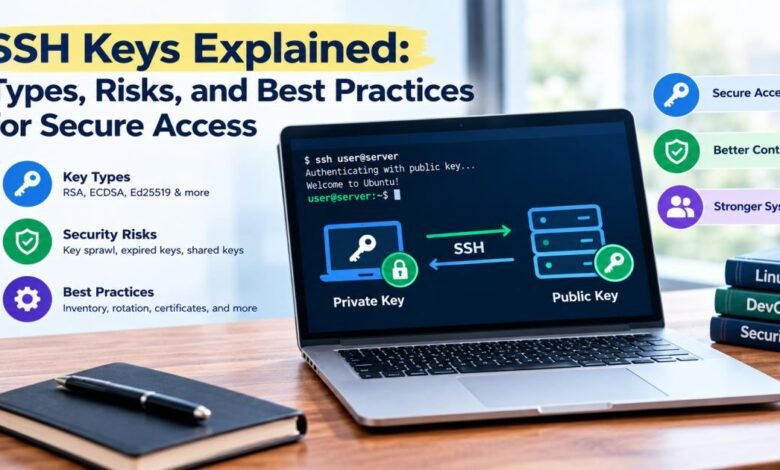
Few tools are as widely used and as casually managed as SSH keys. Engineers generate one on a laptop years ago, paste the public half into a dozen servers, and never think about it again. The key keeps working, which is exactly the problem. Nothing prompts anyone to ask whether the laptop still exists, whether the person still works there, or whether the key is still needed.
For DevOps engineers and system administrators, understanding SSH keys goes beyond knowing the commands to create them. It involves knowing how the cryptography works, which key types are sensible today, where risk accumulates, and what habits keep access manageable. The sections below walk through those topics in order, ending with practical guidance on rotation and management.
Why Keys Replaced Passwords for Remote Access
Passwords are a weak fit for servers exposed to the internet. Any login prompt reachable from outside becomes a target for automated guessing, and weak or reused passwords fall quickly. Even strong passwords have to be typed, stored, or shared, which creates more places for them to leak. Automation compounds the issue, since scripts and pipelines need to log in without a human typing anything.
Public key authentication addresses these problems. Instead of proving knowledge of a shared secret, the client proves possession of a private key that never leaves its machine. A server can disable password logins entirely, removing the most common attack path. Automation can authenticate without exposing a reusable password in scripts.
Keys also scale better in practice. One key pair can grant access to many servers, and access for a particular person can be removed by deleting a single line on each host. That convenience is the reason keys are everywhere, and it is also why unmanaged keys cause trouble. The security gain is real only when the keys are generated, stored, and retired with some discipline.
Defining SSH Keys and How Authentication Works
If you are asking what is an SSH key, the short answer is a pair of cryptographic keys used to authenticate to a remote system over the SSH protocol. One half, the private key, stays secret on the user’s device. The other half, the public key, can be shared freely and is placed on any server the user should be able to access.
A practical answer to “what is an ssh key” starts with the login process. The client connects and announces which public key it wants to use. If the server finds that key in the user’s authorized keys file, it creates a random challenge and sends it back. The client signs the challenge with the private key and returns the signature, and the server verifies it with the public key. The private key is never transmitted, and the signature is useful only for that session.
A passphrase can encrypt the private key on disk, so a stolen file is not immediately usable. An SSH agent holds the decrypted key in memory so the user does not retype the passphrase for each connection. Separately, clients keep a record of server host keys, which lets them detect a server that has changed or is being impersonated. Together, these pieces authenticate both sides of the connection.
Key Types and What to Choose
Several algorithms are available, and their security and compatibility differ. The main options include:
- RSA: the oldest widely supported type; key length matters, and 3072 bits or more is a common recommendation, with 2048 as an older minimum
- DSA: obsolete and disabled by default in modern OpenSSH, so it should not be used
- ECDSA: based on NIST elliptic curves, compact and fast, though some engineers prefer to avoid it because of implementation concerns
- Ed25519: a modern elliptic curve type with short keys, fast operations, and strong security margins, and the usual default choice today
- FIDO2-backed keys (such as ed25519-sk): keys tied to a hardware security token, supported by recent OpenSSH versions
For most new keys, Ed25519 is the sensible pick, as long as the systems involved are reasonably current. RSA remains useful where older software requires it, in which case a longer key length should be used. Hardware-backed keys add a physical factor, since the private key cannot be copied off the token and use may require a touch or PIN.
Compatibility checks save headaches. Old network devices and legacy servers may support only RSA, and some managed services restrict accepted algorithms. Consult the documentation for each platform, and avoid mixing standards in ways that create confusion.
Where the Risks Accumulate
Key sprawl is the most common risk. Over time, a single organization accumulates thousands of public keys scattered across authorized key files, with no central record of who owns each one. Departing employees leave behind keys that still work, contractors’ keys outlast their contracts, and test servers hold keys nobody remembers. Auditors asking “who can access this server?” get answers that are guesses.
No expiry compounds the problem. A standard SSH key pair does not expire. It remains valid until someone deletes the public key from every place it was installed, so a leaked or forgotten key keeps granting access indefinitely. Because it is usually impossible to tell from the key itself when it was created or who holds the private half, stale keys blend in with legitimate ones.
Shared keys add another layer of risk. Teams sometimes use one private key for a service account or a group of administrators, copying it between machines. This destroys accountability, since logs show only the key and not the person. It also makes rotation painful, because every holder must switch simultaneously. Unprotected private keys, stored without a passphrase or copied into repositories and backups, create a further path for attackers. Agent forwarding, if enabled carelessly, can expose a user’s keys to a compromised intermediate host.
Best Practices for Rotation and Management
Good management starts with inventory. Know which keys exist, who owns them, what they unlock, and when they were created. Automated scanning of authorized key files across servers surfaces unknown or unused keys, and tying each key to a named person or service makes ownership clear. Remove keys when employees change roles or leave, as part of offboarding.
Rotate on a schedule, and rotate immediately after any suspected exposure. Where possible, move away from long-lived static keys toward SSH certificates. In this model, a trusted certificate authority signs a user’s public key with a short validity period, and servers trust the authority instead of individual keys. Access expires on its own, new users do not require editing authorized key files, and certificates can carry restrictions such as allowed hosts or commands.
Other habits help. Generate a separate key per person and per device, never shared. Protect private keys with strong passphrases or hardware tokens. Restrict what each key can do, using options that limit source addresses or forced commands for automation. Disable password authentication and root login on servers. Log authentication events centrally and review them for unfamiliar keys. Finally, test the process: periodically rehearse revoking a key and confirm it truly loses access everywhere.
Key Takeaways
SSH keys are a sound improvement over passwords, but only when they are treated as credentials with a lifecycle. Choose modern key types such as Ed25519, protect private keys, and keep a clear record of who holds which key.
The biggest improvement for most teams comes from reducing the number of long-lived, unmanaged keys. Moving toward short-lived certificates, centralized inventory, and automated removal turns SSH access from an accumulating liability into something that can be explained, audited, and controlled.