Gaming has become more demanding than ever. Modern games offer detailed graphics, large maps, realistic effects, and fast online gameplay, but all of these features require strong device performance. When a phone or PC starts slowing down, gamers may experience lag, frame drops, overheating, and delayed responses. This is where tools such as a Game Booster and FPS Booster can become useful.
Although both tools are designed to improve gaming performance, they usually focus on different aspects of the gaming experience. Understanding how they work can help players choose the right solution for smoother and more stable gameplay.
What Is a Game Booster?
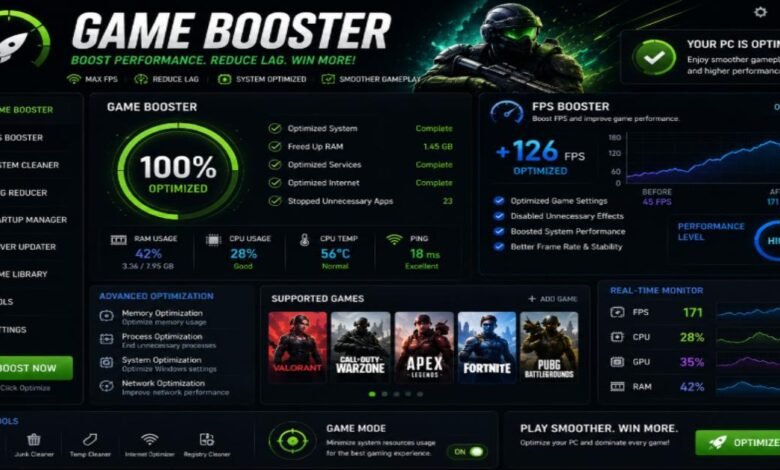
A Game Booster is a software feature or application designed to optimize a device before and during gaming. Its main purpose is to make more system resources available to the game. Depending on the device and software, a Game Booster may close unnecessary background processes, reduce interruptions, manage memory, and prioritize gaming performance.
For example, when several applications are running in the background, they may consume RAM, CPU resources, or network bandwidth. A Game Booster can help reduce this unnecessary activity so that more resources are available for the game.
Many modern smartphones already include built-in gaming modes. These modes may also provide useful options such as notification blocking, touch-response optimization, screen recording, performance monitoring, and network management.
What Is an FPS Booster?
FPS stands for Frames Per Second. It describes how many individual frames a game displays every second. A higher and more stable FPS generally makes gameplay look smoother, particularly in fast-paced games such as racing, shooting, and competitive multiplayer titles.
An FPS Booster focuses specifically on improving or stabilizing frame performance. It may adjust graphics settings, reduce demanding visual effects, optimize resolution, or prioritize hardware resources for the game.
However, an FPS Booster cannot magically create hardware performance that a device does not have. If a game requires more processing power than the device can provide, lowering graphics quality may be necessary to achieve a more stable frame rate.
Game Booster vs FPS Booster
The main difference between these two solutions is their focus. A Game Booster usually provides broader system optimization, while an FPS Booster concentrates more heavily on frame-rate performance.
A Game Booster may improve the overall gaming environment by managing background apps, notifications, memory, and system resources. An FPS Booster, on the other hand, is more concerned with reducing frame drops and maintaining smoother visual performance.
In some cases, a single gaming application may include both functions. This can provide a convenient way to manage general performance and FPS-related settings from one place.
Benefits of Using Gaming Optimization Tools
Gaming optimization tools can offer several practical benefits. First, they may help reduce unnecessary background activity, allowing games to receive more system resources. Second, they can make gameplay feel smoother by helping maintain a consistent frame rate.
Another advantage is convenience. Instead of manually closing applications and changing settings every time a game starts, a Game Booster can automate some of these tasks.
Some tools also offer performance monitoring features. Players can check FPS, temperature, CPU usage, or memory consumption to understand what may be affecting their gameplay.
Things to Consider Before Using a Booster
Not every Game Booster or FPS Booster provides the same results. Performance improvements depend on the device, operating system, game, and settings being used.
Players should avoid applications that make unrealistic promises, especially claims that an ordinary device can suddenly achieve extremely high FPS without suitable hardware. It is also important to download software from trustworthy sources and review the permissions it requests.
Over-optimizing a device can sometimes increase power consumption or heat generation. If a phone becomes excessively hot during gaming, reducing graphics settings, taking breaks, and improving ventilation may be more effective than using additional booster applications.
Final Thoughts
A Game Booster and FPS Booster can be helpful tools for gamers who want a smoother experience. A Game Booster generally improves overall system performance by managing resources, while an FPS Booster focuses on frame-rate stability and graphical performance.
The best results usually come from combining sensible optimization with appropriate in-game settings. Keeping unnecessary apps closed, maintaining enough storage space, updating software, and selecting graphics settings that match the device can make a noticeable difference.
Ultimately, a booster should support the hardware rather than replace it. When used responsibly, the right gaming optimization tools can help players enjoy more stable, responsive, and enjoyable gameplay.
Read more articles from iphlpsvc