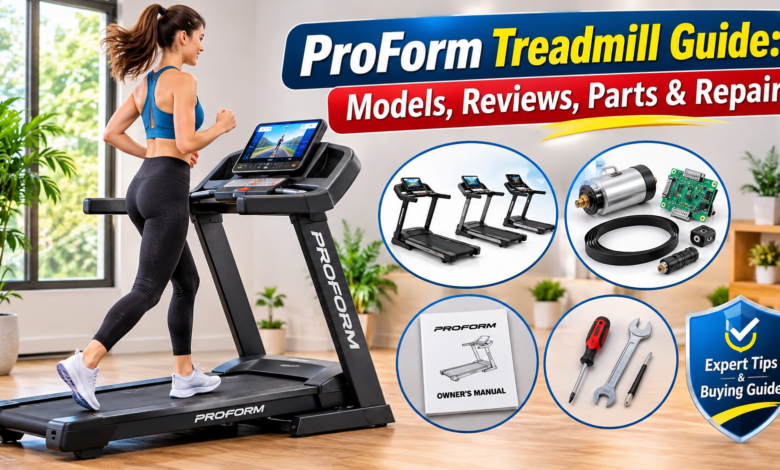
A ProForm treadmill is a home motorized cardio machine made by iFIT Health & Fitness that brings cushioned running decks, incline training, and interactive coaching to everyday budgets. For walkers, joggers, and runners who want dependable home workouts without commercial gym prices, a ProForm treadmill delivers strong value across multiple price tiers. Many buyers and owners also look for ProForm treadmill models, ProForm treadmill reviews, ProForm treadmill parts, ProForm treadmill older models, ProForm treadmill repair, and a ProForm treadmill manual to keep their equipment running smoothly.
One core truth shapes every decision around this brand: matching motor horsepower and deck length to your actual stride and workout pace prevents early wear. Keep that principle in mind as you compare models, shop for parts, or troubleshoot a machine at home.
What is a ProForm Treadmill?
ProForm started in the late 1980s and operates under iFIT Health & Fitness, the company that also builds NordicTrack machines. While NordicTrack often prices higher with larger screens and heavier frames, ProForm targets budget-minded and mid-range buyers who still want incline workouts, folding frames, and guided sessions.
How ProForm Treadmills Work
A direct current (DC) drive motor sits under the front hood and spins a ribbed drive belt connected to the front roller. That roller pulls the walking belt across a smooth phenolic deck while shock absorbers beneath the frame cushion each footstrike. A separate incline motor raises or lowers the front of the deck to change slope angles.
Who Should Consider Buying a ProForm Treadmill?
Home exercisers who want convenience and incline options get the most out of these machines. Walkers burning extra calories on a slope, recreational joggers training several days a week, and apartment residents who fold their deck upright after workouts all fit the target profile. Because matching motor horsepower and deck length to your actual stride and workout pace prevents early wear, taller runners or fast sprinters should look past entry-level compact models.
ProForm and iFIT: Understanding the Connection
Most modern ProForm consoles connect with iFIT to stream studio classes and outdoor routes. During iFIT sessions, the treadmill automatically adjusts speed and incline to match the terrain or target heart rate. You do not need an active subscription to walk or run; pressing manual start lets you control speed and incline on your own.
ProForm Treadmill Models: Current and Popular Options
Looking across proform treadmill models shows four main families built for different spaces and workout intensities.
ProForm Pro Series
The Pro Series sits at the top of the lineup for runners and busy households. Models in this group typically feature 3.0 to 3.6 continuous horsepower (CHP) motors, 20-by-60-inch running belts, and large HD touchscreens. Several Pro models also add decline training down to -3% alongside inclines up to 12% or 15%.
ProForm Carbon Series
The Carbon Series serves regular joggers and fitness fans who want solid durability without top-tier costs. Most Carbon treadmills pair 2.6 to 3.0 CHP motors with 20-by-55-inch or 20-by-60-inch belts and inclines up to 10% or 12%. Consoles vary from clean LCD displays to 10-inch touchscreens depending on the trim.
ProForm Sport Series
The Sport Series targets walkers, beginners, and tight budgets with lighter frames and smaller footprints. Typical specs include 2.0 to 2.6 CHP motors, 18-by-50-inch or 20-by-55-inch decks, 10 mph top speeds, and 10% max incline. Instead of built-in touchscreens, Sport consoles usually provide backlit displays and a shelf for your tablet or phone.
ProForm City Series
The City Series fits apartments, condos, and small offices where floor space is tight. Models like the City L6 fold flat or stand upright in narrow spots and cap speed around 8 mph with a flat 0% deck. They suit daily walking and light jogging rather than distance running.
Key Differences Between Treadmill Series
| Series | Best For | Common Motor (CHP) | Deck Size | Max Incline | Console Type |
| Pro Series | Daily runners & multi-user homes | 3.0 – 3.6 CHP | 20″ x 60″ | -3% to +15% | 10″–22″ HD Touchscreen |
| Carbon Series | Regular joggers & home fitness | 2.6 – 3.0 CHP | 20″ x 55″ or 60″ | 0% to 12% | LCD or 10″ Touchscreen |
| Sport Series | Walkers & budget beginners | 2.0 – 2.6 CHP | 18″ x 50″ or 20″ x 55″ | 0% to 10% | Backlit LCD + Device Shelf |
| City Series | Small spaces & walking | 1.6 – 2.0 CHP | 17.5″ x 45″ | 0% Flat | Basic LED Display |
Popular ProForm Treadmill Models Compared
Comparing popular individual models helps clarify how small differences in belt length, motor power, and screen size change your workout.
ProForm Pro 2000
The Pro 2000 gives most runners the best balance of power and price in the Pro line. It pairs a 3.25 CHP motor and a 20-by-60-inch belt with a 10-inch touchscreen and -3% to +12% incline/decline. Runners logging 20 to 35 miles a week usually find its stability and power more than enough.
ProForm Pro 9000
The Pro 9000 steps up to a 3.6 CHP motor and a 22-inch touchscreen for buyers who want a larger display and extra motor headroom. It keeps the 20-by-60-inch belt, -3% to +12% slope range, and smooth rollers while adding built-in cooling fans.
ProForm Carbon TL
The Carbon TL suits walkers and casual joggers who prefer using their own phone or tablet instead of a built-in screen. It comes with a 2.6 CHP motor, a 20-by-55-inch belt, 10% incline, and a 5-inch display that keeps controls simple.
ProForm Carbon TLX
The Carbon TLX adds room and speed for taller walkers and runners on a mid-range budget. It features a 3.0 CHP motor, a 20-by-60-inch belt, 12 mph top speed, 12% incline, and a 7-inch non-touchscreen display.
ProForm Carbon TLS
The Carbon TLS pairs a cushioned mid-size deck with quick speed and incline buttons for interval workouts. Depending on the version, it offers a 2.6 to 3.0 CHP motor and up to 12% incline in a streamlined layout.
ProForm Sport Treadmill
Entry-level Sport models (such as the Sport 6.0 and Sport 7.0) focus on easy storage and everyday walking or light jogging. Most include a 2.0 to 2.6 CHP motor, 10 mph top speed, and 10% incline at an accessible price.
ProForm Treadmill Older Models and Discontinued Options
Many proform treadmill older models still run in home gyms years after leaving store shelves. Knowing how older lines were grouped helps you identify parts and set realistic expectations.
Popular Older ProForm Treadmill Models
Over the past decade or more, ProForm sold several high-volume lines that still appear in homes and used listings. Checking the frame sticker gives you the exact model revision before you buy parts or read guides.
ProForm Performance Series
Models like the Performance 400i, 600i, 800i, and 1450 were staples of the 2010s. Many offered 20-by-55-inch belts, 10% to 12% inclines, and motors around 2.5 to 3.0 CHP for everyday home workouts.
ProForm ZT Series
The ZT line (such as ZT3, ZT5, ZT7, and ZT10) appeared widely in big-box and warehouse stores. Buyers liked their simple LED or LCD readouts, folding frames, and straightforward controls.
ProForm Endurance Series
Endurance models (such as the 520 E, 720 E, and 920 E) aimed at regular walkers and joggers who wanted sturdy frames and longer belts on upper trims.
ProForm Premier Series
Premier treadmills (such as the Premier 500, 700, 900, and 1300) introduced larger displays and higher-output motors ahead of newer smart models.
Where to Find Older Model Information
Look up the exact model number from the frame label on iFIT’s official support portal (IconService.com) or parts sites like Sears PartsDirect. Those listings show original specifications, exploded diagrams, and replacement part numbers.
Are Discontinued ProForm Treadmills Still Worth Buying?
A solid discontinued treadmill can still serve a walker or casual jogger well if the motor, rollers, and belt are in good shape. However, older smart consoles running outdated Android software often lose access to modern app features or updates, so treat any built-in smart screen as a bonus rather than a guarantee.
ProForm Treadmill Reviews: Features, Benefits and Drawbacks
Reading proform treadmill reviews alongside technician notes highlights where the brand shines and where trade-offs appear.
Motor Performance and Running Speed
ProForm rates motors in continuous horsepower (CHP) to reflect steady output rather than brief peak spikes. Walkers typically do fine with 2.0 to 2.5 CHP, while steady jogging or running calls for 3.0 CHP or higher. Remember that matching motor horsepower and deck length to your actual stride and workout pace prevents early wear, especially if your body weight sits near the upper limit of the frame rating (often 300 lbs).
Incline and Workout Options
Steep inclines up to 10%–15%—and decline down to -3% on select Pro models—stand out in this price bracket. Uphill walking raises heart rate and leg demand without forcing high running speeds.
Running Belt and Deck Cushioning
ProShox and similar cushioning systems place shock-absorbing isolators under the running deck. Most reviewers find the surface softer on knees and ankles than commercial gym treadmills, though runners who prefer a firm track feel may notice the extra give.
Console, Touchscreen, and Display Features
Large touchscreens make scenery and workout stats easy to read, while quick-adjust buttons along the console speed up pace and slope changes. Some owners note that touchscreen boot-ups take roughly half a minute to a minute before workouts begin.
Folding Design and Storage
SpaceSaver folding decks with hydraulic lift shocks make raising and lowering the running surface much easier. Always lock the latch securely before walking away from a folded deck.
iFIT Compatibility and Subscription Requirements
iFIT adds guided workouts and automatic speed/incline control, though it requires a paid membership after any included trial. Users who prefer no monthly fees can stick to manual mode or run apps on a personal tablet.
Noise Levels and Everyday Performance
At walking paces, a ProForm treadmill usually produces a steady low hum suitable for TV or conversation. Faster running generates louder footfalls and motor noise, so placing a thick rubber mat under the frame helps dampen vibration.
Warranty and Customer Support
Most new ProForm treadmills carry a 10-year frame warranty, a 2-year parts warranty, and a 1-year labor warranty. Some competing brands offer longer motor or parts coverage, and support lines can get busy during winter fitness rushes.
ProForm Treadmill Pros and Cons
Main Advantages
- Strong features—like incline range, cushioned decks, and folding frames—for the price.
- Soft impact absorption that feels gentle on joints during regular use.
- Easy upright storage with hydraulic lift assistance.
- Widely available replacement parts across many common components.
Common Disadvantages
- Shorter 2-year parts and 1-year labor coverage than some rival brands.
- Console screens that highlight iFIT memberships before manual options.
- Heavier multi-part assembly that usually takes two people and about an hour or more.
Performance for Walking, Jogging, and Running
Walkers get smooth support on almost any model, while joggers benefit from at least a 20-by-55-inch belt and 2.6+ CHP motor. Tall runners or fast pacers need a 60-inch belt and 3.0+ CHP motor because matching motor horsepower and deck length to your actual stride and workout pace prevents early wear.
Long-Term Ownership Considerations
With regular belt lubrication and basic cleaning, a home ProForm treadmill typically lasts around 7 to 12 years. Plugging directly into a grounded wall outlet—or a quality surge protector approved by the manual—helps protect electronics from voltage spikes.
ProForm Treadmill Parts: Complete Replacement Guide
Knowing what each part does makes shopping for proform treadmill parts much easier when something wears out.
Motor and Drive Belt
The drive motor turns the front roller via a ribbed drive belt. Over time, a drive belt can stretch, fray, or glaze, causing slipping when you step down.
Walking Belt and Deck
The walking belt is the loop you walk or run on, and the deck is the flat board underneath it. When a belt wears thin or dries out, extra friction can damage both the belt and the deck surface.
Console and Display Components
The upper console holds the screen, buttons, speakers, and fan, while a wire harness runs down the upright mast to connect it to the base.
Control Board and Wiring
The lower motor control board inside the hood manages power delivery from the wall to the drive motor and incline system. Excess heat and friction are common enemies of control boards.
Incline Motor and Sensors
An incline motor raises and lowers the front of the frame, while a speed sensor near the front roller tracks belt rotation so the console displays accurate speed.
Safety Key and Power Cord
The magnetic safety key completes a safety circuit so the belt stops if pulled, and the power cord connects the frame to the outlet next to a reset breaker.
Rollers, Bearings, and Replacement Hardware
Front and rear rollers keep the belt centered and rolling smoothly, while internal bearings can wear out and rumble after years of miles.
How to Find the Right ProForm Treadmill Parts
Ordering the wrong part wastes shipping fees and time. Follow a clear check before placing an order.
Locate the Model and Serial Number
Check the sticker on the front lower frame near the power cord, under the front crossbar when folded, or along the lower rail. Write down the full model number (often formatted with letters, numbers, and a decimal like .0 or .1) and serial number.
Identify the Correct Part Number
Enter that exact model number into a parts lookup tool to view the exploded diagram for your revision. Match the part in the diagram to its official part number rather than guessing by looks alone.
Check Manufacturer Parts Availability
Check official iFIT/ProForm parts channels first to see if factory components are in stock. Newer models generally have broader factory stock than older discontinued units.
Compare Genuine and Compatible Replacement Parts
Genuine factory parts usually fit and communicate with control boards without surprises, especially for electronics like consoles and motor controllers. Third-party belts or rollers can sometimes save money, provided the exact size, rib count, and specifications match your machine.
Tips for Avoiding Incorrect Parts
Measure your old walking belt’s length and width and count drive belt ribs before ordering. Also check connector shapes and wire counts on sensors or motors, since revisions can change plugs.
ProForm Treadmill Repair: Common Problems and Solutions
Basic ProForm treadmill repair often comes down to simple checks and adjustments. Always unplug the power cord before opening the motor hood or touching internal parts.
Treadmill Won’t Turn On
- Test the wall outlet with another appliance to confirm power.
- Make sure the magnetic safety key sits fully in place on the console.
- Press the reset button on the circuit breaker near the power cord entry.
- If power reaches the frame and the breaker is fine, a blown fuse, loose harness, or failed control board may be the cause.
Walking Belt Won’t Move
If the console turns on and counts time without moving the belt, check the speed sensor near the front roller for misalignment or damage. A worn drive belt, loose motor connection, or faulty motor/control board can also keep the belt from turning.
Belt Slipping or Slowing Down
A belt that slips under your foot often needs slight tensioning at the rear roller bolts or a replacement drive belt. If the belt bogs down under weight, friction between a dry belt and deck may be slowing the motor—lubricate the belt and check tension.
Incline Not Working
Run the incline calibration routine from the console settings or maintenance menu if available. If the incline still will not move, inspect the incline motor wiring and connectors for loose pins or damage.
Console Display Problems
A blank, flickering, or frozen screen can point to a loose upright cable connection or a software glitch. Power-cycling the machine—or performing a reset if the manual specifies one—often clears minor display freezes.
Unusual Noises During Workouts
Clicking, rubbing, or thumping usually comes from a belt that needs centering or tensioning, a roller bearing wearing down, or debris near the rollers. Pinpoint whether the sound happens once per belt loop or once per roller rotation to narrow down the source.
Motor Overheating
If the treadmill shuts down during a workout and feels unusually hot near the hood, stop and let it cool completely. Dust buildup inside the hood or lack of belt lubrication often forces the motor to work too hard.
Safety Key or Sensor Issues
If the display warns that the safety key is out when it is clipped in, clean dust from the slot and check the magnet on the key. A misaligned speed sensor can also cause erratic speed readings or sudden stops.
ProForm Treadmill Maintenance Tips
Steady upkeep keeps your machine quiet and extends its lifespan. Because matching motor horsepower and deck length to your actual stride and workout pace prevents early wear, pairing smart model selection with routine care gives you the best shot at long-term reliability.
Cleaning the Treadmill Regularly
Wipe sweat and dust off the console, handrails, and frame with a lightly damp cloth after workouts. Keep liquids away from seams and ports so moisture does not seep into electronics.
Walking Belt Inspection and Lubrication
Check under the belt for dryness or buildup every few months. Follow your manual’s instructions and apply approved silicone treadmill lubricant sparingly beneath the belt when needed so friction stays low.
Checking Belt Alignment and Tension
Watch where the belt tracks as it runs at a slow walk. If it drifts toward one side, make small quarter-turn adjustments to the rear roller bolts and observe the belt until it runs centered without slipping.
Inspecting Electrical Connections
Check that the power cord fits snugly and does not rub against moving parts or get pinched when folding. Never use thin or damaged extension cords that can overheat.
Maintaining the Motor Area
Unplug the unit and vacuum dust, lint, and pet hair from around the motor and control board every few months. Clean airflow helps keep electrical parts cool during longer sessions.
Following the Model-Specific Maintenance Schedule
Check your owner’s manual for exact lubrication intervals, belt tension specs, and care notes for your specific model.
ProForm Treadmill Manual: How to Find and Use It
A proform treadmill manual gives you the exact assembly steps, safety rules, and care instructions for your unit.
Why the Owner’s Manual Matters
Your manual lists model-specific dimensions, lubrication rules, console button functions, and safety clearances. Relying on guesswork or a different model’s guide can lead to mistakes.
Finding the Correct Manual by Model Number
Find the model number sticker on the treadmill frame and search for that exact code on ProForm’s official support site or iFIT’s manual resources. Matching the exact model number ensures you get the right instructions for your version.
Downloading PDF Manuals
Download the PDF manual to your phone or computer so you can search terms like “lubricate,” “incline,” or “error” anytime. Keeping a saved copy is handy even if you move or lose the printed booklet.
Assembly and Installation Instructions
Lay out all hardware first and follow the step order in the manual. Leave bolts slightly loose until frame pieces line up, then tighten them evenly as instructed.
Operating and Safety Instructions
Read the safety section before your first workout, especially clip-on safety key use and clear space around the machine. Leaving open room behind and beside the belt helps you step off safely if needed.
Troubleshooting and Maintenance Information
Use the troubleshooting and maintenance pages as your first reference when a warning shows up or routine service is due. They often explain basic checks before you call for service.
ProForm Treadmill Warranty, Service and Customer Support
Knowing how warranty terms work helps you plan before or after a purchase.
Understanding Warranty Coverage
Standard ProForm warranties typically cover the frame for 10 years, parts for 2 years, and labor for 1 year on new residential purchases. Always check the exact warranty statement for your specific model and purchase date.
Motor, Frame, Parts, and Labor Coverage
Frame coverage protects the structural metal frame, while parts and labor cover eligible replacement components and technician service within their respective windows. Commercial use or missing required care can void coverage.
How to Request Repair Service
Gather your receipt, model number, and serial number, then reach out through ProForm or iFIT customer support. Support teams typically ask a few troubleshooting questions before scheduling parts or service.
Replacement Parts and Service Availability
Out-of-warranty owners can buy replacement parts through authorized parts channels and either install simple parts themselves or hire a local fitness technician.
What to Check Before Contacting Support
Have your model number, serial number, proof of purchase, and a clear description of any error codes or noises ready. Checking the outlet and safety key beforehand also saves time during troubleshooting.
Is a Used or Older ProForm Treadmill Worth Buying?
Buying used can save hundreds of dollars, provided you inspect the machine carefully before paying.
Checking the Treadmill’s Overall Condition
Look closely at the frame for rust, dents, or cracks, and test the folding mechanism and safety latch. Ask how often the seller used it and where it was stored.
Inspecting the Motor and Running Belt
Turn it on and listen to the motor and rollers across low and moderate speeds. Check the walking belt for frayed edges, cracks, or worn spots, and see if the deck feels smooth underneath.
Testing Incline and Console Functions
Test incline movement up and down to make sure it runs smoothly without grinding or stalling. Press console buttons and check the display to confirm everything responds.
Checking Replacement Parts Availability
Look up the model number before buying to confirm belts, rollers, or electronics are still obtainable. A cheap treadmill becomes costly fast if a key part is hard to find.
Comparing Used and New Treadmill Costs
Compare the asking price against a new entry- or mid-level treadmill that includes a fresh warranty. If a used machine needs expensive parts or sits close to new sale prices, buying new often makes more sense.
ProForm Treadmill vs. Other Treadmill Brands
Comparing ProForm with rival home brands makes it easier to see where it fits best.
ProForm vs. NordicTrack
Both brands belong to iFIT Health & Fitness and share similar training features and iFIT integration. NordicTrack often costs more and offers larger screens or higher-tier builds on comparable models, while ProForm frequently gives strong value at lower prices.
ProForm vs. Sole
Sole treadmills are known for sturdy frames, firm decks, and long motor warranties on many models without built-in streaming touchscreens. ProForm often appeals more to buyers who want softer deck cushioning, incline/decline options, and iFIT workouts.
ProForm vs. Horizon
Horizon treadmills often appeal to buyers who want straightforward controls, quick speed/incline changes, and compatibility with third-party fitness apps without subscription lock-in. ProForm stands out for built-in touchscreen options and steep incline ranges on many models.
Differences in Features, Performance, and Pricing
ProForm generally sits in the budget to mid-range bracket with strong incline and cushioning features for the money. Competitors vary in warranty length, deck firmness, and how much they rely on built-in screens versus third-party apps.
Which Brand Suits Different Fitness Needs?
Pick ProForm if you want incline training, cushioned decks, and iFIT workouts at a budget-friendly price. Look at Sole or Horizon if longer motor warranties, firmer decks, or non-iFIT app setups matter more to you.
How to Choose the Best ProForm Treadmill
A few practical checks help you pick a model you will actually use.
Choosing Based on Fitness Goals
Match the treadmill to how you train: walking on an incline needs less top speed than tempo runs or speed intervals. Pick a model that handles your hardest planned workouts comfortably.
Selecting the Right Motor and Running Surface
Higher CHP motors and longer belts handle heavier use and longer strides better. Keep in mind that matching motor horsepower and deck length to your actual stride and workout pace prevents early wear, especially for runners over average height.
Considering Incline and Speed Requirements
Check the top speed and incline range against your pace and training style. A higher incline lets you build a tough workout even at moderate walking or jogging speeds.
Checking Available Space and Folding Options
Measure both floor space and ceiling height—including extra room when the deck is inclined—before buying. If you need to fold the deck away, test how much floor space remains free.
Comparing Warranties and Ownership Costs
Look beyond sticker price to include possible belt lubrication supplies, replacement wear parts, and any optional coverage. A slightly higher upfront price can pay off if it fits your routine better.
Evaluating iFIT Membership Needs
Decide upfront whether you want iFIT’s guided workouts and automatic adjustments or prefer manual workouts and your own media. That choice helps you decide between touchscreen models and simpler consoles.
Final Thoughts on ProForm Treadmills
A ProForm treadmill offers practical features—cushioned decks, helpful inclines, folding storage, and interactive coaching—at prices many home buyers appreciate. While warranties and subscription options deserve careful thought, good habits make a clear difference. Always remember that matching motor horsepower and deck length to your actual stride and workout pace prevents early wear, and pair the right model with steady cleaning and belt care so your machine stays ready whenever you want to work out.
Frequently Asked Questions About ProForm Treadmills
Are ProForm treadmills good for home use?
Yes, ProForm treadmills are built for home workouts, offering folding frames, cushioned decks, and incline options for walkers, joggers, and runners.
What is the best ProForm treadmill model?
The best model depends on your budget and workout style, with the Pro 2000 popular for runners wanting strong power and incline/decline, and models like the Carbon TLX fitting runners who prefer non-touchscreen controls.
How long do ProForm treadmills typically last?
A home ProForm treadmill typically lasts around 7 to 12 years with regular belt lubrication, cleaning, and normal residential use.
Can you use a ProForm treadmill without iFIT?
Yes, you can use manual mode to adjust speed and incline on your own without an active iFIT subscription.
Where can I find my ProForm treadmill model number?
Check the label on the lower front frame near the power cord, under the front crossbar when folded, or along the side rail base.